
.jpg)
_Lactuca_sativa_(garden_lettuce)_at_Bichlh%C3%A4usl_in_Frankenfels,_Austria.jpg)


Education
From your first crop to the spring sale, connect greenhouse space with the work your classes do each day.
Explore Education
Greenhouse Works · Education Planner
A practical growing plan for your greenhouse, your classes, and the date you want plants ready.
Choose crops, place flats and pots on your benches, and turn the season into work your teams can follow.
An existing school membership is required. Signing in opens your own Planner workspace.
One season. One connected plan.
Your greenhouse setup carries into crop planning. You don’t need to draw it again.
Add your greenhouse, benches, and usable growing space.
Plan backward from when plants need to be ready. Review your school calendar and care coverage.
Choose plants, quantities, flats, and pots. Drag batches onto benches or use the placement controls.
Check growing stages, space, schedules, supplies, and daily jobs for your teacher-managed teams.
Space changes as plants grow
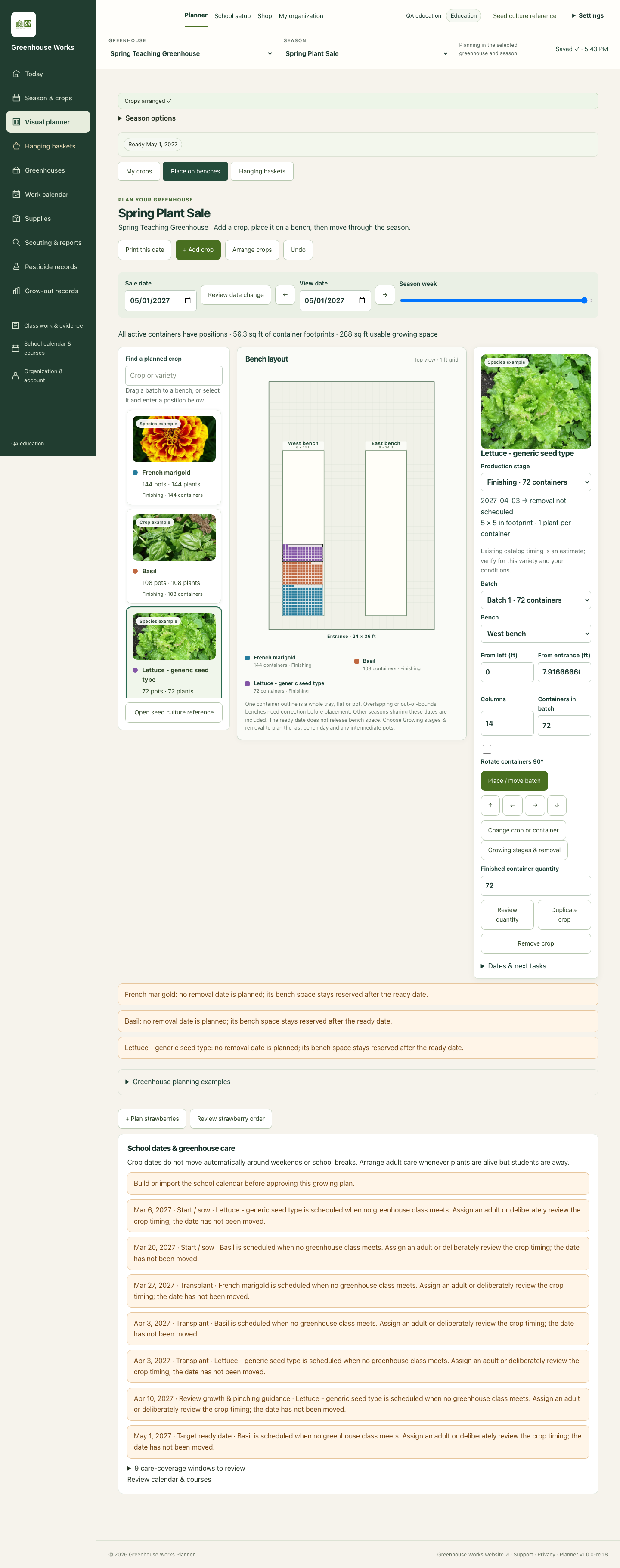
Move through the weeks to review germination, transplanting, and finishing space. See occupied space and review conflicts before adding more plants.
Production timings are planning estimates. Review the crop reference and your conditions; some crops require your own timing inputs. School breaks affect work assignments, but plants still need care.
Photos are resized crop/species examples, not exact-cultivar identifications.
Photographs appear as cropped or resized cards in the app screenshot. They are labeled crop or species examples, not exact-cultivar identifications.
Hanging baskets have their own place
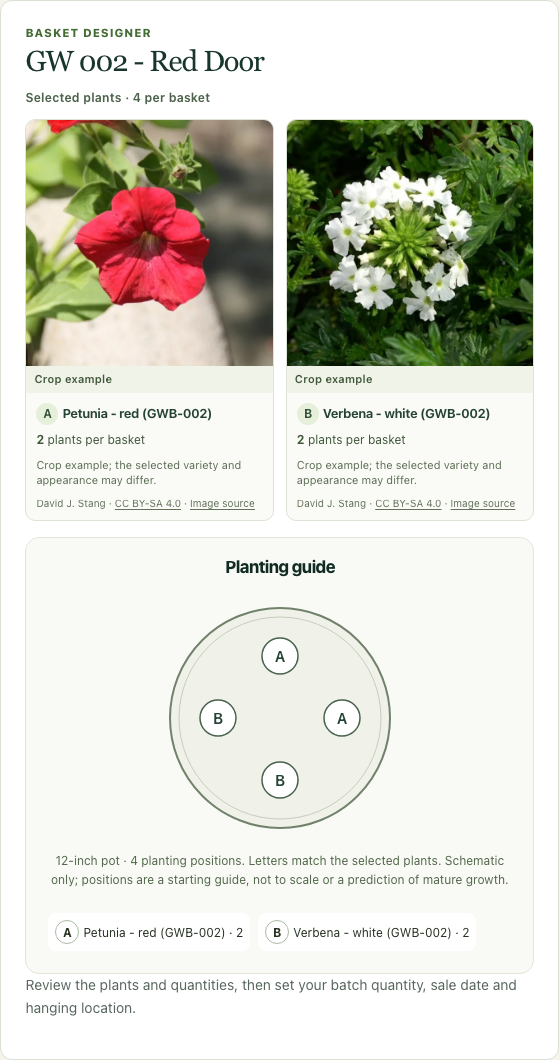
Choose a basket recipe, review its component plants and plug quantities, and add a batch to your season.
Account for bench space before hanging and the support space needed later. Review spacing, watering access, shading, and the structure’s load rating before hanging.
Open your PlannerPlanning tools
Education is the current focus. Other workflows are developing and are not being launched here as finished products.
From your first crop to the spring sale, connect greenhouse space with the work your classes do each day.
Explore EducationBring crop batches, ready dates, production space, and everyday growing work into one view.
Explore GrowerConnect plant collections, growing spaces, caretakers, and a dependable record of care.
Explore InstitutionalBefore you begin
No. Education uses one school membership with teacher-managed classes and teams. Teachers manage access to team work.
No. References and existing crop timing help you plan, but production depends on the crop and growing conditions. Missing or uncertain timing needs teacher review; a date suggestion is not a flowering guarantee.
Many are. Others are clearly labeled species or series examples. A mixed-color crop may vary in color and proportions. The catalog continues to be reviewed for identity and image permissions.
The planning tools help you work out supply needs. This website does not place orders or take payments. Product sourcing, fulfillment, and commerce connections are still being planned.
Open Planner using the button on this page. If you need to sign in, the app takes you through its existing account flow. Use your browser’s Back button to return here; this website does not collect your Planner password.
Ready for your next season?
Start with your space, your sale date, and the plants you want to grow.